DDR5 meets the demands of industries experiencing an enormous burst in data. Delivering a new level of speed and increased capacity along with improved reliability, it is designed to enhance overall system performance. Samsung’s advanced memory technology propels the next era of computing across PCs and servers. DDR5 meets the demands of industries experiencing an enormous burst in data. Delivering a new level of speed and increased capacity along with improved reliability, it is designed to enhance overall system performance. Samsung’s advanced memory technology propels the next era of computing across PCs and servers. DDR5 meets the demands of industries experiencing an enormous burst in data. Delivering a new level of speed and increased capacity along with improved reliability, it is designed to enhance overall system performance. Samsung’s advanced memory technology propels the next era of computing across PCs and servers.
With transfer speeds of up to 8,000 Mbps, DDR5 meets the demands of increasingly complex workloads.
It delivers up to 2.5x higher bandwidth than DDR41), with double the burst length from 8 to 16, and twice the banks from 16 to 32. This architectural enhancement accelerates large-scale data processing and AI workloads.
1) Performance may vary. Speed comparisons are based on the previous generation DDR4.
With transfer speeds of up to 8,000 Mbps, DDR5 meets the demands of increasingly complex workloads. It delivers up to 2.5x higher bandwidth than DDR41), with double the burst length from 8 to 16, and twice the banks from 16 to 32. This architectural enhancement accelerates large-scale data processing and AI workloads.
1) Performance may vary. Speed comparisons are based on the previous generation DDR4.
With transfer speeds of up to 8,000 Mbps, DDR5 meets the demands of increasingly complex workloads. It delivers up to 2.5x higher bandwidth than DDR41), with double the burst length from 8 to 16, and twice the banks from 16 to 32. This architectural enhancement accelerates large-scale data processing and AI workloads.
1) Performance may vary. Speed comparisons are based on the previous generation DDR4.

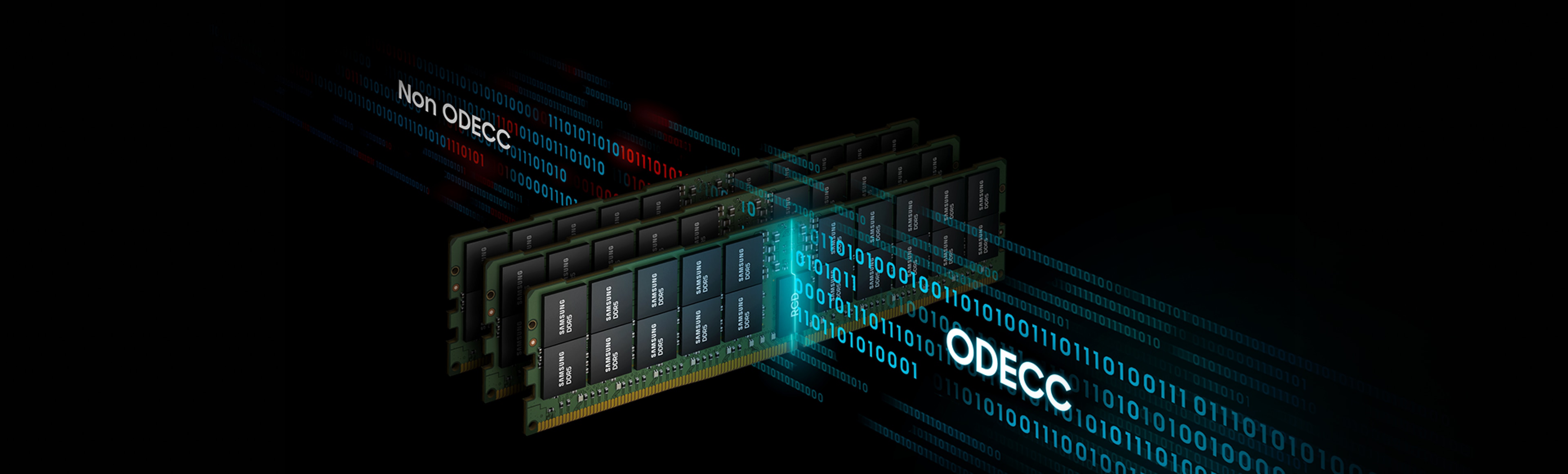
ODECC (on-die error-correction code) technology applied in DDR5 helps maintain data integrity and reliability, supporting stable
high-performance operation. ODECC helps correct single bit errors, enhancing reliability even under demanding data-intensive workloads.
ODECC (on-die error-correction code) technology applied in DDR5 helps maintain data integrity and reliability, supporting stable high-performance operation. ODECC helps correct single bit errors, enhancing reliability even under demanding data-intensive workloads.
ODECC (on-die error-correction code) technology applied in DDR5 helps maintain data integrity and reliability, supporting stable high-performance operation. ODECC helps correct single bit errors, enhancing reliability even under demanding data-intensive workloads.
DDR5 achieves over 20% greater power efficiency than DDR42) through improved power management and optimized architecture.
The on-DIMM PMIC enables more efficient power regulation and stable power delivery, ensuring reliable performance
in HPC (high-performance computing) server environments.
2) Performance may vary. Power efficiency comparisons are based on the previous generation DDR4 under internal evaluations.
DDR5 achieves over 20% greater power efficiency than DDR42) through improved power management and optimized architecture. The on-DIMM PMIC enables more efficient power regulation and stable power delivery, ensuring reliable performance in HPC (high-performance computing) server environments.
2) Performance may vary. Power efficiency comparisons are based on the previous generation DDR4 under internal evaluations.
DDR5 achieves over 20% greater power efficiency than DDR42) through improved power management and optimized architecture. The on-DIMM PMIC enables more efficient power regulation and stable power delivery, ensuring reliable performance in HPC (high-performance computing) server environments.
2) Performance may vary. Power efficiency comparisons are based on the previous generation DDR4 under internal evaluations.

DDR5 is generally considered the better DRAM technology because it delivers higher bandwidth,
greater capacity per module, and improved power efficiency compared to DDR4.
These advantages enable modern CPUs and systems to process more data
in parallel and handle demanding workloads more effectively.
Although DDR4 is still used in older or cost-sensitive systems,
DDR5 offers clear performance benefits and is widely preferred in current and next-generation platforms.
DDR5 is generally considered the better DRAM technology because it delivers higher bandwidth,
greater capacity per module, and improved power efficiency compared to DDR4.
These advantages enable modern CPUs and systems to process more data
in parallel and handle demanding workloads more effectively.
Although DDR4 is still used in older or cost-sensitive systems,
DDR5 offers clear performance benefits and is widely preferred
in current and next-generation platforms.
DDR5 is generally considered the better DRAM technology because it delivers higher bandwidth, greater capacity per module, and improved power efficiency compared to DDR4.
These advantages enable modern CPUs and systems to process more data in parallel and handle demandingworkloads more effectively.
Although DDR4 is still used in older or cost-sensitive systems, DDR5 offers clear performance benefits and is widely preferred in current and next-generation platforms.
No, you cannot use DDR5 RAM on a DDR4 motherboard.
DDR5 and DDR4 use different physical slot designs, electrical requirements, and signaling methods.
Because the notch positions and pin layouts are not the same, a DDR5 module cannot fit into a DDR4 slot,
and the memory controller on a DDR4 motherboard does not support DDR5.
To use DDR5 RAM, you must have a motherboard and CPU that are specifically designed for DDR5.
No, you cannot use DDR5 RAM on a DDR4 motherboard.
DDR5 and DDR4 use different physical slot designs,
electrical requirements, and signaling methods.
Because the notch positions and pin layouts are not the same,
a DDR5 module cannot fit into a DDR4 slot,
and the memory controller on a DDR4 motherboard does not support DDR5.
To use DDR5 RAM, you must have a motherboard and CPU
that are specifically designed for DDR5.
No, you cannot use DDR5 RAM on a DDR4 motherboard.
DDR5 and DDR4 use different physical slot designs, electrical requirements, and signaling methods. Because the notch positions and pin layouts are not the same, a DDR5 module cannot fit into a DDR4 slot, and the memory controller on a DDR4 motherboard does not support DDR5.
To use DDR5 RAM, you must have a motherboard and CPU that are specifically designed for DDR5.
To check whether your motherboard supports DDR5, first look up your motherboard model
and review the official specification page on the manufacturer’s website.
The memory section will clearly indicate which types of RAM—such as DDR5 or DDR4—are supported.
It is also important to check your CPU, because the memory controller inside the CPU
determines which DDR generation it can use. Even if the motherboard has DDR5 slots,
the system will not operate properly unless the CPU also supports DDR5.
To check whether your motherboard supports DDR5,
first look up your motherboard model and review
the official specification page on the manufacturer’s website.
The memory section will clearly indicate which types of
RAM—such as DDR5 or DDR4—are supported.
It is also important to check your CPU,
because the memory controller inside the CPU determines
which DDR generation it can use.
Even if the motherboard has DDR5 slots,
the system will not operate properly unless the CPU also supports DDR5.
To check whether your motherboard supports DDR5, first look up your motherboard model and review the official specification page on the manufacturer’s website. The memory section will clearly indicate which types of RAM—such as DDR5 or DDR4—are supported.
It is also important to check your CPU, because the memory controller inside the CPU determines which DDR generation it can use. Even if the motherboard has DDR5 slots, the system will not operate properly unless the CPU also supports DDR5.
DDR5 RAM is most easily identified by the position of the notch on its connector.
The notch on a DDR5 module is located differently from that of DDR4, so it cannot be inserted into a DDR4 slot.
DDR5 modules also often include a PMIC (Power Management IC) on the PCB for power management,
which makes the module look more complex compared to DDR4. The arrangement of the memory chips may also differ.
The most reliable way to confirm the type is by checking the label or sticker on the module, which usually clearly indicates “DDR5.”
DDR5 RAM is most easily identified by the position of the notch on its connector.
The notch on a DDR5 module is located differently from that of DDR4,
so it cannot be inserted into a DDR4 slot.
DDR5 modules also often include a PMIC (Power Management IC)
on the PCB for power management, which makes the module look
more complex compared to DDR4. The arrangement of the memory chips
may also differ.
The most reliable way to confirm the type is by checking the label or sticker on the module,
which usually clearly indicates “DDR5.”
DDR5 RAM is most easily identified by the position of the notch on its connector.
The notch on a DDR5 module is located differently from that of DDR4, so it cannot be inserted into a DDR4 slot. DDR5 modules also often include a PMIC (Power Management IC) on the PCB for power management, which makes the module look more complex compared to DDR4. The arrangement of the memory chips may also differ.
The most reliable way to confirm the type is by checking the label or sticker on the module, which usually clearly indicates “DDR5.”
Yes, it does.
DDR5 modules can only be inserted in one direction because the notch on the connector must match the key
in the motherboard slot.
If it is facing the wrong way, it will not align with the slot and should never be forced in,
as this can damage both the module and the motherboard.
Match the notch to the slot key and press down until the latches click into place.
Yes, it does.
DDR5 modules can only be inserted in one direction because the notch on the connector
must match the key in the motherboard slot.
If it is facing the wrong way, it will not align with the slot and should never be forced in,
as this can damage both the module and the motherboard.
Match the notch to the slot key and press down
until the latches click into place.
Yes, it does.
DDR5 modules can only be inserted in one direction because the notch on the connector must match the key in the motherboard slot.
If it is facing the wrong way, it will not align with the slot and should never be forced in, as this can damage both the module and the motherboard.
Match the notch to the slot key and press down until the latches click into place.
https://semiconductor.samsung.com/support/contact-info/global-network/

 Global